Family Lightbox: Bringing Layered Paper Art to Life at Home
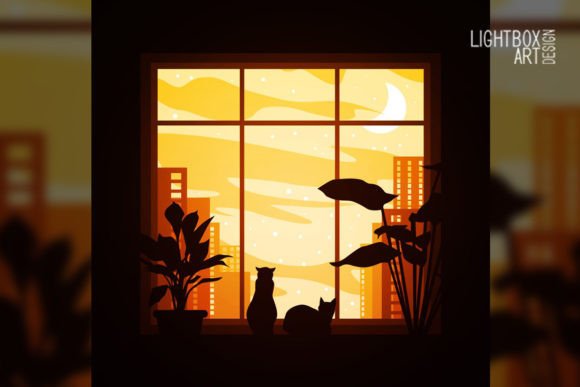
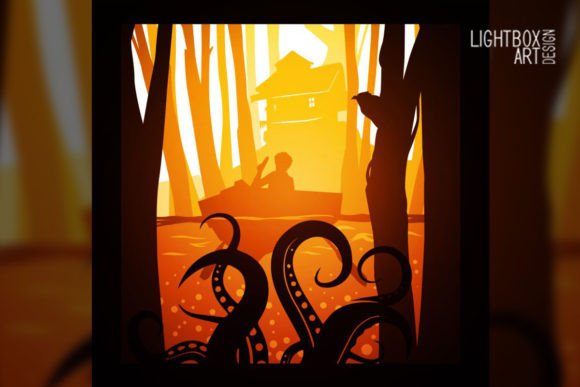
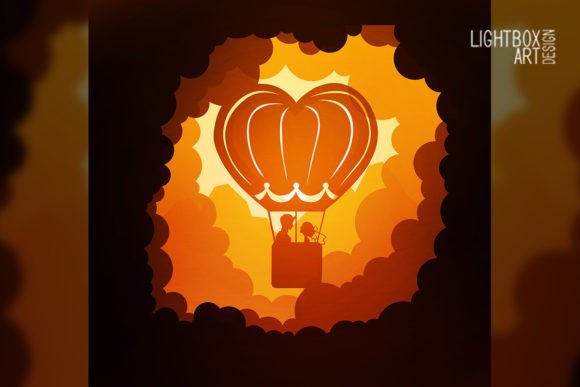
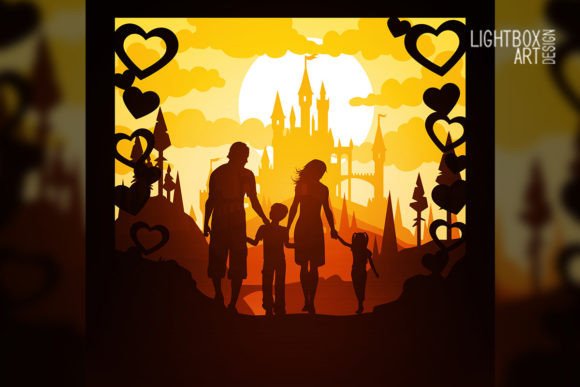
There is a distinct magic in watching a flat stack of paper transform into a glowing, three-dimensional scene. A Family Lightbox is more than just a decorative item; it is an interactive storytelling medium that combines traditional papercraft with modern illumination. At its core, this project involves stacking seven distinct layers of cut paper, spaced apart within a shadow box frame, and backlit by an RGB LED strip. The depth created by the foam board spacers allows light to filter through the varying densities of the paper, creating shadows, highlights, and a sense of atmosphere that digital screens simply cannot replicate.
For creators and hobbyists, the appeal lies in the comprehensive digital package that makes this art form accessible without requiring advanced drafting skills. The download typically includes a ZIP file containing SVG, JPG, PDF, DXF, CDR, and AI files, ensuring compatibility whether you are using a Cricut, Silhouette, Glowforge, or cutting by hand with an art knife. The inclusion of a Tutorial Instruction.txt file removes the guesswork from assembly, guiding you through the specific spacing and layering required to achieve professional results.
Creating Meaningful Gifts and Personalized Decor
The most immediate application for a Family Lightbox is personalized gifting. In an era where digital gifts feel fleeting and mass-produced items lack sentiment, a custom lightbox carries significant emotional weight. Consider a scenario where you want to celebrate a couple’s 10th anniversary. Instead of a generic photo frame, you could adapt one of the seven included design layers to feature their last name or a significant date. The warm glow of the LED strip turns the piece into a functional nightlight or hallway accent that serves as a daily reminder of that milestone.
This personalization extends to family milestones beyond weddings. New parents often look for unique ways to announce births or decorate nurseries. Because the template uses standard 8×8 inch (21×21 cm) layers, it fits perfectly into compact nursery spaces without overwhelming the room. The soft, adjustable RGB lighting is particularly practical here; it provides enough illumination for late-night feedings without being harsh on sensitive eyes. By selecting specific colors via the LED controller, parents can match the lightbox to the nursery theme or use it as a gentle sleep cue for toddlers.
Educational Tools and Interactive Learning
Educators and homeschooling parents frequently seek tactile resources that engage multiple senses. A Family Lightbox serves as an exceptional visual aid for storytelling and cultural education. When teaching folklore, mythology, or history, reading from a textbook can sometimes fail to capture a child's imagination. Placing a relevant lightbox scene on the desk while narrating a story creates an immersive focal point. The interplay of light and shadow helps visualize concepts like depth, foreground, and background in art classes, making abstract artistic principles concrete and observable.
Furthermore, the assembly process itself is a valuable educational activity for older children and teens under supervision. Working with 200–250 gsm paper requires patience and fine motor control. Following the instruction file teaches procedural literacy and attention to detail. For STEM-focused learning, discussing how the LED strip works, how circuits are completed, and why certain paper weights transmit light better than others bridges the gap between art and engineering. It transforms a craft project into a multidisciplinary lesson.
Commercial Applications for Small Business Owners
For entrepreneurs running Etsy shops, market stalls, or boutique gift stores, the Family Lightbox template offers a scalable product line. The provision of commercial-use compatible file formats like AI and CDR means designers can modify the base template to create proprietary designs without starting from scratch. This significantly reduces research and development time. Since the files include vector formats (SVG, DXF), production can be automated via laser cutters or vinyl plotters, allowing for consistent quality even during high-volume holiday seasons.
Retailers should consider the "unboxing" and display potential. A lit sample at a craft fair draws attention far more effectively than flat prints. The 8×8 inch size is strategic; it is large enough to showcase intricate details but small enough to ship cost-effectively. When selling these as finished goods, emphasizing the quality of materials—specifically the acid-free nature of the recommended paper and the safety of the power supply—builds trust with customers looking for heirloom-quality decor rather than disposable crafts.
Essential Material Considerations Before You Start
Success with a Family Lightbox depends heavily on material selection. While the digital files provide the blueprint, the physical execution requires adherence to specific standards. The recommendation for 200–250 gsm paper is not arbitrary. Paper lighter than 200 gsm tends to warp when exposed to the heat of LEDs or the humidity of glue, causing the layers to bow and touch each other, which ruins the shadow effect. Conversely, cardstock heavier than 250 gsm may block too much light, resulting in a dim image where only the top layer is visible. Always test a single layer with your specific LED setup before committing to cutting all seven layers.
The choice of cutting tool also dictates your workflow. If using a laser cutter, ensure your ventilation is adequate for cutting paper, as scorch marks can detract from the pristine white aesthetic common in these designs. Vector files like DXF and SVG are optimized for this. If cutting by hand with an art knife, print the JPG or PDF templates directly onto the paper at 100% scale. Verify your printer settings to prevent scaling; even a 2% variance can cause misalignment across seven stacked layers. Hand-cutting offers a meditative, artisanal quality but requires significantly more time investment compared to digital fabrication.
Lighting and Assembly Best Practices
The RGB LED strip is the heartbeat of the Family Lightbox, but improper installation is the most common failure point. Users must ensure the power supply matches the voltage and amperage requirements of the strip to prevent flickering or burnout. When mounting the LEDs inside the shadow box, position them to avoid direct hotspots. Diffusing the light against the back panel or using a frosted acrylic sheet behind the final paper layer creates an even wash of color. Since the design files account for 8×8 inch dimensions, measure your internal frame space precisely; foam board thickness varies, and losing even a few millimeters of width can make inserting the layered stack impossible.
Assembly should always follow the sequence outlined in the Tutorial Instruction.txt. These guides are written based on trial and error, identifying which layers are structural versus purely decorative. Using foam board for spacers is superior to rolled paper or cardboard scraps because it maintains rigid, uniform distance. Cut the foam strips slightly shorter than the paper width so they remain invisible from the front viewing angle. Take your time aligning each layer; once adhesive sets, repositioning risks tearing the delicate cuts. Working in a clean, low-dust environment prevents particles from getting trapped between layers, which become glaringly obvious once the backlight is turned on.
Adapting Digital Files for Unique Outcomes
One of the greatest advantages of receiving editable AI and CDR files is the ability to adapt the Family Lightbox to niche interests. A blogger focusing on seasonal decor might swap out central elements to create a series covering spring, summer, autumn, and winter using the same outer frame structure. Marketers creating branded merchandise for corporate events can subtly integrate logos into the deepest background layer, where they appear as a watermark-like glow rather than an overt advertisement. This subtlety respects the artistic integrity of the piece while serving a commercial function.
However, users should respect the intellectual property and technical limitations of the files. Modifying vector paths requires understanding node editing; stretching a design disproportionately can distort intricate details. Always maintain the original aspect ratio of the 21×21 cm canvas. Additionally, consider the end-user experience if you are distributing modified versions. Including your own updated instruction file ensures that anyone building your variation understands any changes you made to layer order or spacing. Ultimately, the Family Lightbox is a platform for creativity, but its success relies on balancing artistic freedom with technical precision.