Evaluating Clock Face Template 6: Format Versatility and Design Integrity for Digital Crafting
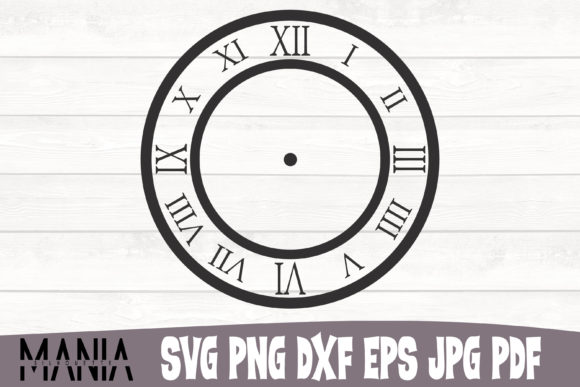
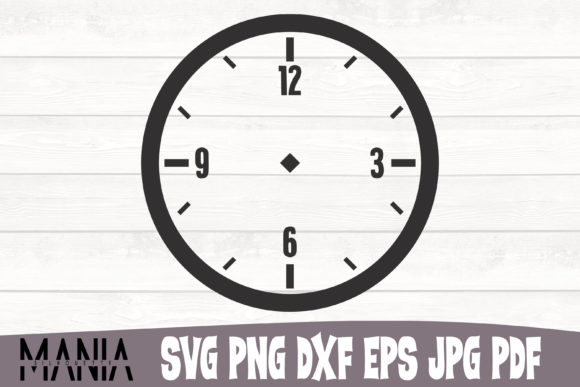
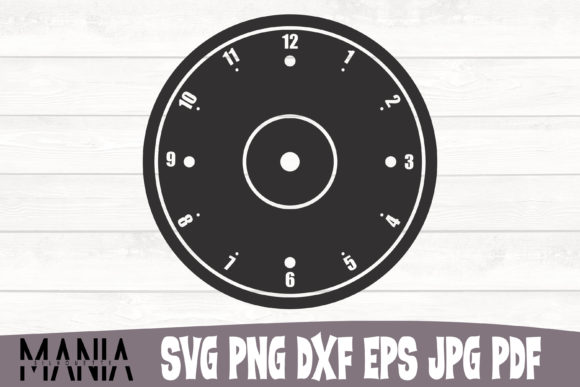
When selecting digital assets for horological projects, crafters and designers often face a choice between generic, pre-assembled graphics and specialized, layered templates. Clock Face Template 6 represents the latter category, offering a structured approach to clock design that prioritizes editability over static imagery. Unlike standard clip art that serves as a finished product, this template functions as a foundational framework. It is distinct because it provides separate, well-defined layers for numerals, hands, and decorative elements rather than a flattened image. This architectural difference is critical for users who need to customize timepieces for specific aesthetics or functional requirements, distinguishing it from simpler alternatives that may look similar at a glance but lack structural depth.
Technical Specifications and File Format Utility
The value of any digital design asset lies in its compatibility with existing workflows. Clock Face Template 6 is packaged to address the fragmentation common in the crafting and design software landscape. Rather than forcing users to convert files and risk data loss, this pack includes six distinct formats, each serving a specific technical purpose. Understanding these distinctions helps determine if this pack aligns with your current hardware and software ecosystem.
- SVG Files: The primary vector format for Cricut and Silhouette Studio users. These files retain node information, allowing cutting machines to recognize individual layers for weeding and multi-color application.
- DXF Files: Essential for users of older Silhouette models or free software versions that do not support SVG imports natively. DXF ensures backward compatibility without requiring paid upgrades.
- EPS Files: The industry standard for professional editing in Adobe Illustrator or CorelDRAW. EPS preserves complex curve data and layer structures better than SVG when moving between different vector platforms.
- PNG Files: Provided with a transparent background for sublimation, print-then-cut projects, or digital mockups where vector editing is unnecessary.
- JPEG Files: Optimized specifically for Iron-On machines and direct-to-garment printers that require raster inputs. While less flexible than vectors, they offer immediate usability for heat transfer applications.
- PDF Files: A consolidated reference document containing all clip arts. This serves as a visual catalog, streamlining the selection process before opening heavy design files.
For makers comparing options, the inclusion of both DXF and EPS alongside SVG is a significant differentiator. Many marketplace listings provide only SVG and PNG, leaving professional designers or legacy machine owners to troubleshoot conversion issues. This comprehensive packaging reduces friction across the entire production pipeline, from initial concept to final fabrication.
Layer Organization and Editability vs. Static Alternatives
A primary decision factor when evaluating clock templates is the level of post-purchase customization required. Clock Face Template 6 is meticulously crafted with organized, continuously tested layers. This stands in contrast to many "clock face" resources found on general stock sites, which are often flattened vectors or rasterized images. In a flattened file, the numbers, background, and hands are fused into a single shape. Changing the color of just the hour markers or resizing the center cap requires manual redrawing or complex masking.
With Clock Face Template 6, the separation of elements allows for non-destructive editing. If a project requires matching a specific brand color palette, individual components can be recolored instantly. If the clock mechanism requires a different hand length, the vector points can be adjusted without distorting the numeral spacing. This modularity makes the template suitable for bespoke commissions where client specifications vary frequently. However, this flexibility comes with a tradeoff: it demands a higher skill ceiling. Users unfamiliar with layer management in design software may find the initial setup more complex than dragging and dropping a pre-made PNG. For those seeking instant, unalterable results, a static alternative might be faster, albeit less versatile.
Scalability and Application Range
Vector-based assets like Clock Face Template 6 offer infinite expandability, a mathematical advantage over raster-based competitors. Because the design is defined by coordinates rather than pixels, it maintains perfect edge quality regardless of output size. This characteristic enables a wide spectrum of use cases from a single source file.
Practically, this means the same template used for a 4-inch nursery wall clock can be scaled up for a 24-inch statement piece in a living room or scaled down for miniature dollhouse accessories. In comparison, raster-only clock faces typically degrade when enlarged beyond 300 DPI resolution limits, resulting in pixelation or blurring. For laser engraving and CNC routing, vector paths are mandatory; pixelated edges translate directly to poor machine performance and wasted material. While the phrase "graving them on the moon" illustrates theoretical limitlessness, the practical reality is that this file type supports everything from delicate jewelry etching to large-format architectural signage without requiring multiple resolution versions.
Users should note that while the file scales infinitely, physical materials have limitations. Intricate details present in the template may need to be simplified for certain substrates. For example, fine serif fonts in the clock face might cut beautifully on vinyl but could char excessively on wood or fail to weed properly on glitter cardstock. The template provides the geometric perfection; the maker must still apply material-specific adjustments.
Software Compatibility and Workflow Integration
Clock Face Template 6 is designed to bypass proprietary cartridge systems, offering freedom from vendor lock-in. This is particularly relevant for users comparing ecosystem-restricted designs against open-format assets. Proprietary cartridges limit usage to specific machines and often prevent exporting designs for use in other contexts. By supporting Make The Cut, Sure Cuts A Lot, Adobe Creative Suite, and various 3D editing softwares, this pack treats the design as a universal asset rather than a consumable tied to one device.
For 3D artists and animators, the inclusion of editable vectors compatible with Adobe After Effects and Flash (Animate) opens doors beyond physical crafting. The clock face can be rigged for animation, textured for 3D rendering, or integrated into motion graphics. Most crafting-focused templates lack the clean topology required for these advanced applications. If your workflow is strictly limited to cutting vinyl for t-shirts, this broader compatibility may be superfluous. However, for multidisciplinary creators who move between digital and physical media, this versatility consolidates asset libraries and reduces redundant purchases.
Assessing Fit: When to Choose This Template
Determining whether Clock Face Template 6 is the right resource depends on balancing project needs against technical capability. It is an optimal choice for:
- Customization-Heavy Projects: When clients request specific colorways, font changes, or dimensional adjustments that static images cannot accommodate.
- Multi-Medium Production: When the same design must be executed across vinyl, sublimation, laser engraving, and digital platforms.
- Professional Workflows: When maintaining editable source files is necessary for future revisions or portfolio documentation.
- Legacy Equipment Users: When DXF support is required for older cutting machines without native SVG compatibility.
Conversely, readers might consider alternative options if:
- Speed is Prioritized Over Flexibility: If you need a quick, one-off decoration and have no intention of modifying the design, a pre-rendered PNG or sticker sheet may be more efficient.
- Software Limitations Exist: Without access to vector editing software or a compatible cutting machine, the layered SVG/EPS files will remain inaccessible. Basic photo editors cannot leverage the template’s core features.
- Style Mismatch: Clock Face Template 6 has a specific aesthetic. If your project requires a radically different style (e.g., ultra-modern minimalist vs. ornate vintage), forcing this template through extensive modification may take longer than sourcing a style-appropriate alternative.
Quality Assurance and Long-Term Value
The mention of "meticulously crafted" and "continuously tested layers" addresses a common pain point in digital marketplaces: flawed geometry. Poorly digitized vectors often contain overlapping nodes, open paths, or stray anchor points that cause cutting machines to pause, double-cut, or fail entirely. Testing ensures that Clock Face Template 6 cuts cleanly out of the box, reducing material waste and troubleshooting time. When comparing similarly priced options, verifying that layers are truly separated and paths are closed is essential. A cheaper template that requires hours of node cleanup ultimately costs more in labor and frustration.
Ultimately, Clock Face Template 6 positions itself as a professional-grade foundation rather than a disposable graphic. Its strength lies in the intersection of broad format compatibility and deep structural editability. For makers who view their tools as investments and their designs as evolving assets, this template offers a balance of immediate utility and long-term adaptability that static alternatives cannot match. Evaluating your specific need for customization against the learning curve of layered editing will clarify whether this comprehensive pack is the appropriate solution for your horological projects.